Moving from PTminder
We’re hearing from PTminder customers that it’s closing on 31 December 2027, and that it has stopped taking new sign-ups. If you run your business on it, you have time. You don’t need to decide anything this month.
I built Chocka for businesses that sell places in classes. This page is my honest answer to whether it suits you, and how the move works if it does.
Try Grow free for 14 days, no card needed. Or email me and we’ll talk through the move.
Does Chocka fit what you do?
A PTminder client page has three parts: Class booking, Request session and Store. Here is where each one lands in Chocka.
Class booking
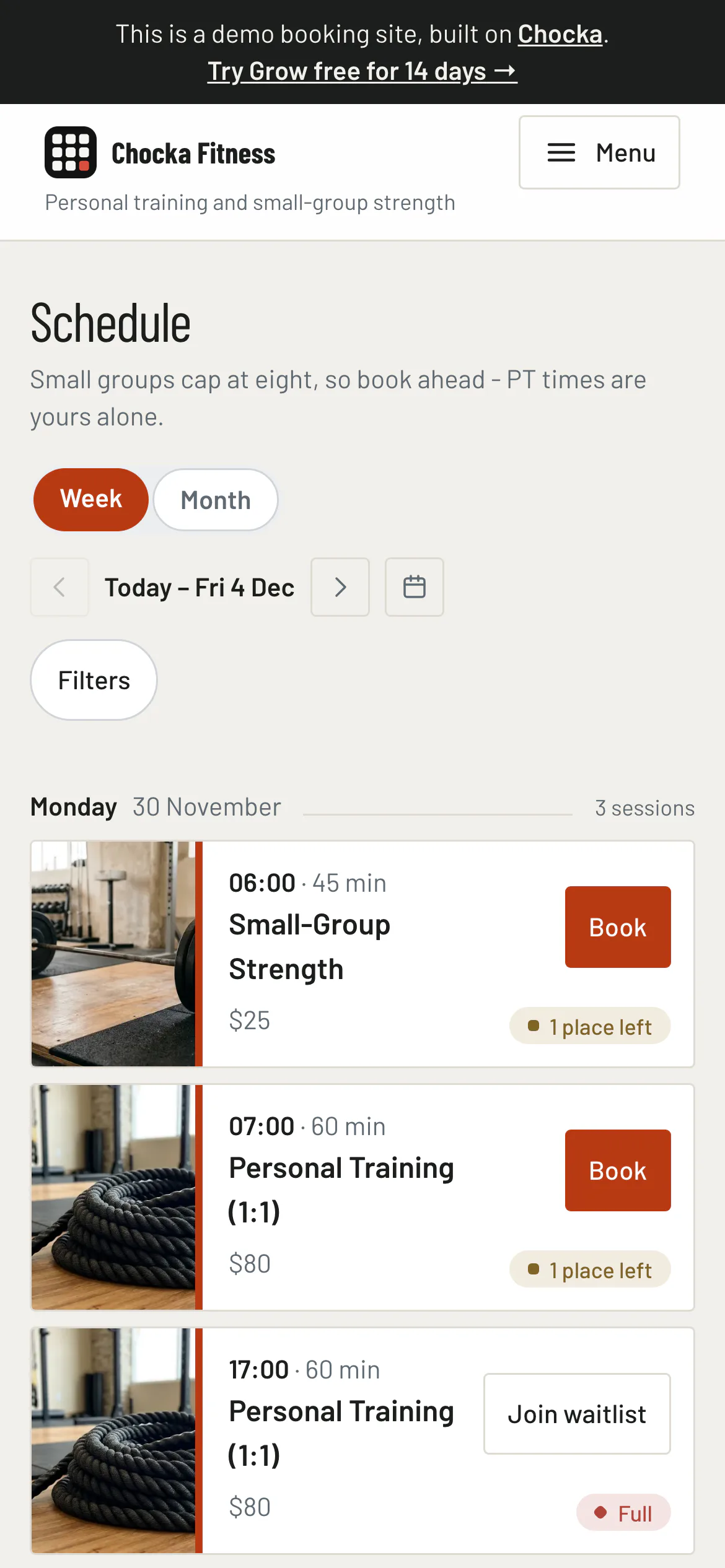
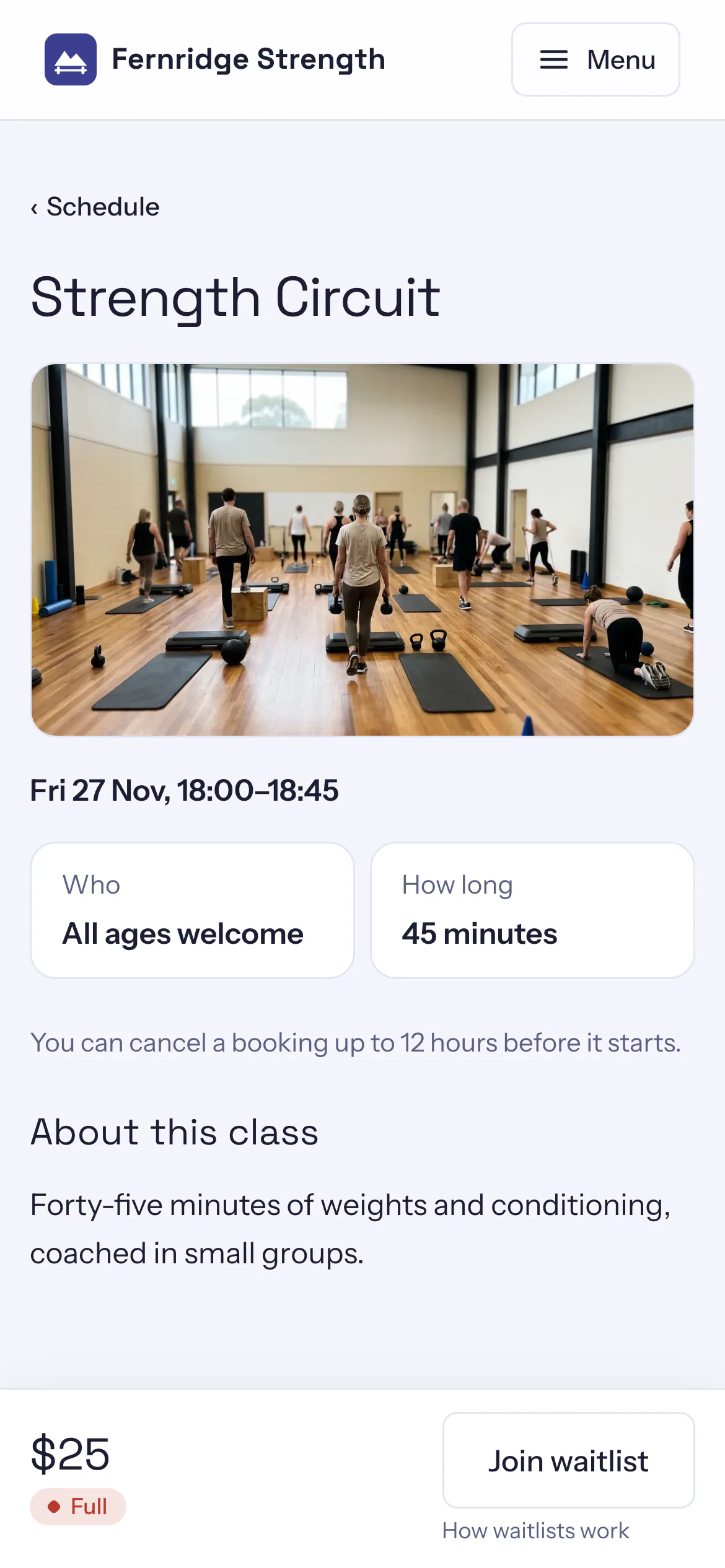
This is what Chocka is built for. You set up a timetable of classes, each with a limit on places. When a class is full, clients join a waitlist, and when a place opens it is offered to the next person. You can also sell a term or a course as one booking, with a place kept in every session.
Store
Passes with a number of credits and an expiry date, and memberships billed on repeat. Card payments go into your own Stripe account. On Grow and Thrive clients can also pay by bank transfer, straight into your bank account, with no payment provider needed.
Request session
Clients book a one-to-one from the times you publish, or you book them in yourself and send them a link to pay.
Who shouldn’t move to Chocka
Trainers who rely on PTminder’s workout plans, nutrition plans or assessments. Chocka has none of those. A coaching platform such as Trainerize or My PT Hub will serve you better.
Anyone whose clients expect a phone app from the app stores. Chocka runs in the browser. There is no app to download.
How the move works
- Get your client list out of PTminder. PTminder’s help pages say its Client List report can be exported as a spreadsheet. You may need to tidy it before it comes across, and I can help with that.
- Set up what you sell in Chocka: your classes, your passes and any terms, as close as you can to how they are in PTminder.
- Add your clients. Type them in, or upload your list as a spreadsheet (saved as CSV) of names, emails and phone numbers. Only the email is required. Dates of birth, your notes about each client and who has unsubscribed from your marketing emails can come across too.
- Give each client what they’re owed. The credits left on their pass come across onto the matching pass in Chocka, and any gift balance they had left onto their gift balance. You can also place them straight into the classes they come to each week, marked as already paid or to be paid on Chocka.
- Invite them. Each client gets an email asking them to make their login on your booking page. Their credits and places are waiting when they do. You can send yourself a test first, and undo the whole import until the first invitation goes.
- Run both for a while. Bookings already made can finish in PTminder while new ones go on Chocka.
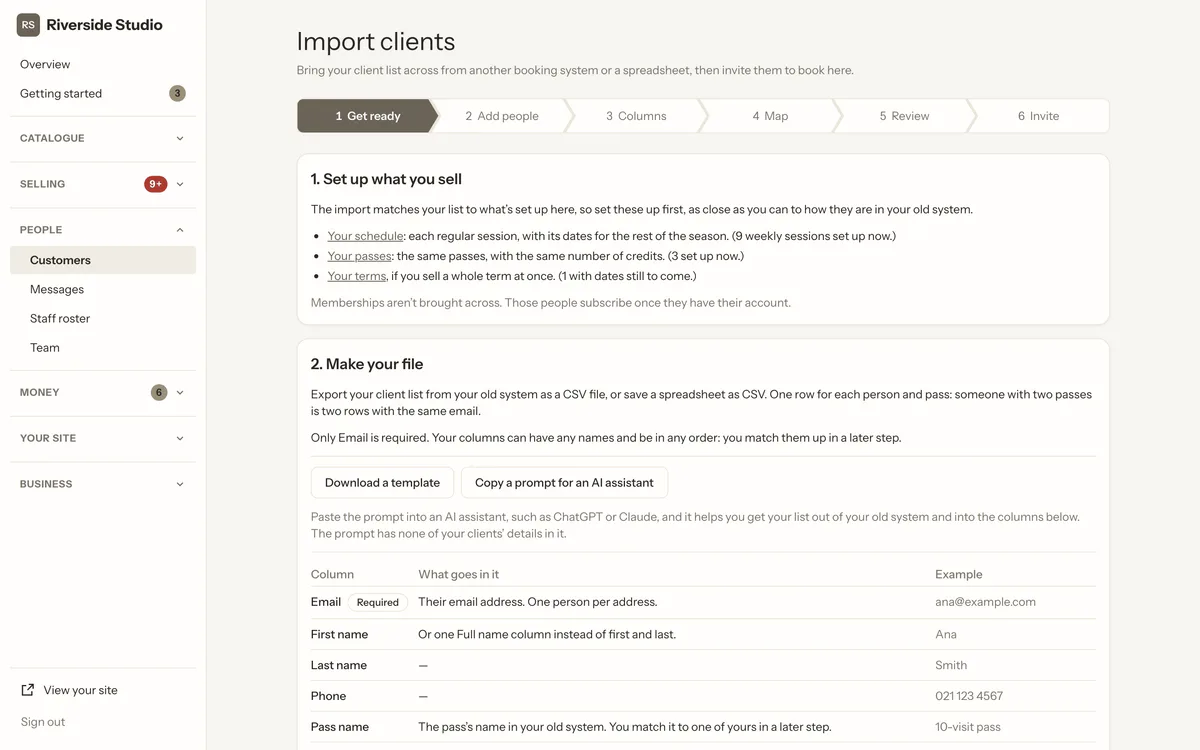
Importing clients is on Grow and Thrive, and in your first month on Launch.
What doesn’t come across
- Card details. They can’t be moved, so members on a recurring membership sign up for it again once they have their Chocka login. Until then you can give them credits or place them in their classes.
- Gift cards nobody has redeemed yet. When the holder makes their Chocka login, add the amount to their gift balance.
- Children, and the people a client books for. Only adults with their own email address come across.
- Past bookings and payments. Keep your PTminder export for your records.
I help with the move. If you’d rather I did it, email me your list and I’ll tell you what will come across before you pay anything. That’s included on Grow and Thrive.
What it costs
- Launch: no monthly fee, and 2% of each booking.
- Grow: NZ$49 a month, no booking fee.
- Thrive: NZ$99 a month, no booking fee.
You can try Grow free for 14 days, without a card. Prices in NZ dollars. Your clients pay you in your own currency. On Launch, the 2% booking fee is taken in the currency of the booking. Everything on each plan.
Look before you sign up
These are demo businesses, so you can see what your clients would see. Nothing you book there is real.
Try Grow free for 14 days, no card needed. Or email me and we’ll talk through the move.
Questions about moving from PTminder
- When is PTminder closing?
- We’re hearing from PTminder customers that it will close on 31 December 2027, and that it has stopped taking new sign-ups. PTminder hasn’t announced it publicly that we’ve seen, so treat the date as what we’ve heard as of 28 November 2026. No reason has been given, and I won’t guess at one.
- What happens to my client data?
- Take a copy while your PTminder account is open. PTminder’s help pages say its Client List report can be exported as a spreadsheet, and that list is what you bring to Chocka. What happens to your data at PTminder after it closes is a question for PTminder.
- Can I move my clients’ unused passes?
- Yes. When you import your clients, each person can bring the credits left on their pass, on a matching pass you set up in Chocka, with its expiry date. A pass that has already expired isn’t brought across.
- Do my clients need a new login?
- Yes. Each client gets an email inviting them to make an account on your booking page, with their address already filled in. Their credits, their gift balance and the classes you placed them in are waiting when they sign up.
- Is there an app?
- No. Chocka runs in the browser, on a phone or a computer, and there is nothing to download from an app store. If your clients expect an app, Chocka isn’t the right move for you.
- Can I keep taking one-to-one bookings?
- Yes. You publish the times you’re free as sessions with room for one person, and clients book and pay for them online. You can also book a client into an appointment you arranged with them yourself, and send them a link to pay.
- Can I show the timetable on my own website?
- Yes, on Grow and above. You paste one piece of code into your website and your live timetable shows there, with the places left. Pressing Book opens your Chocka booking page in a new tab, where your client signs in and pays.
- How long does the move take?
- It depends on how many clients, passes and classes you have. If you’d like me to do the move, I’ll give you a date once I’ve seen your list. You can keep taking bookings in PTminder until you’re ready to switch.
- What does it cost?
- Launch has no monthly fee and takes 2% of each booking. Grow is NZ$49 a month and Thrive is NZ$99 a month, with no booking fee on either. You can try Grow free for 14 days without a card.
What this page says about PTminder’s closure is what we’re hearing from PTminder customers, last checked 28 November 2026. Chocka is not affiliated with, endorsed by or connected to PTminder. If something here is wrong, tell me at hello@chocka.net and I’ll correct it.
Last updated 28 November 2026.
Start taking bookings this week.
Set up your sessions, choose how you get paid, and share your booking page. No card needed to start.